2026 Utah Football Seat Upgrades & Parking Selection
Your opportunity to upgrade seats and purchase parking for the 2026 season is here!
This year, Utah Athletics is introducing a new online upgrade and parking selection process, giving you more control and visibility when making changes to your account.
Your Upgrade Window
Upgrade windows will take place May 12–22 and are assigned based on your Crimson Club priority level. You will receive your personalized date and time via email.
Starting at your assigned window time, you can upgrade seats, add seats and purchase parking.
Please reference the table below to see how many parking passes are assigned to your Crimson Club level and how many passes you may purchase during your selection window. If you’re not making changes and do not wish to purchase parking, no action is needed.
| Crimson Club Level | Assigned Parking Passes | Parking Passes Available to Purchase During Window |
|---|---|---|
| Levels 11 & 10 | Two (2) Signature parking passes | One (1) parking pass |
| Level 9 | One (1) parking pass | One (1) parking pass |
| Levels 8 & 7 | None assigned | Up to two (2) parking passes |
| Levels 6 and Below | None assigned | One (1) parking pass |
Important:
The best and most effective way to upgrade your seats or secure parking is to log in and make your selections online during your assigned window.
Inventory is live and updates in real time, so logging in right when your window opens gives you the most options.
Once you reach the payment page, please complete or cancel your order before exiting the window. Leaving the page before finishing may cause issues re-entering the site. After your transaction is completed, you will not be able to return to make additional purchases during your selection session.
All seat upgrades and parking purchases must be paid in full at the time of checkout.
If you are happy with your current seats and do not wish to purchase parking, no action is needed.
Before Your Window Opens
You can log in ahead of time to:
- Explore the interactive seat map
- View available seating areas
- Preview seat views
- Get familiar with the process
Being prepared before your window opens will help you move quickly once access begins!
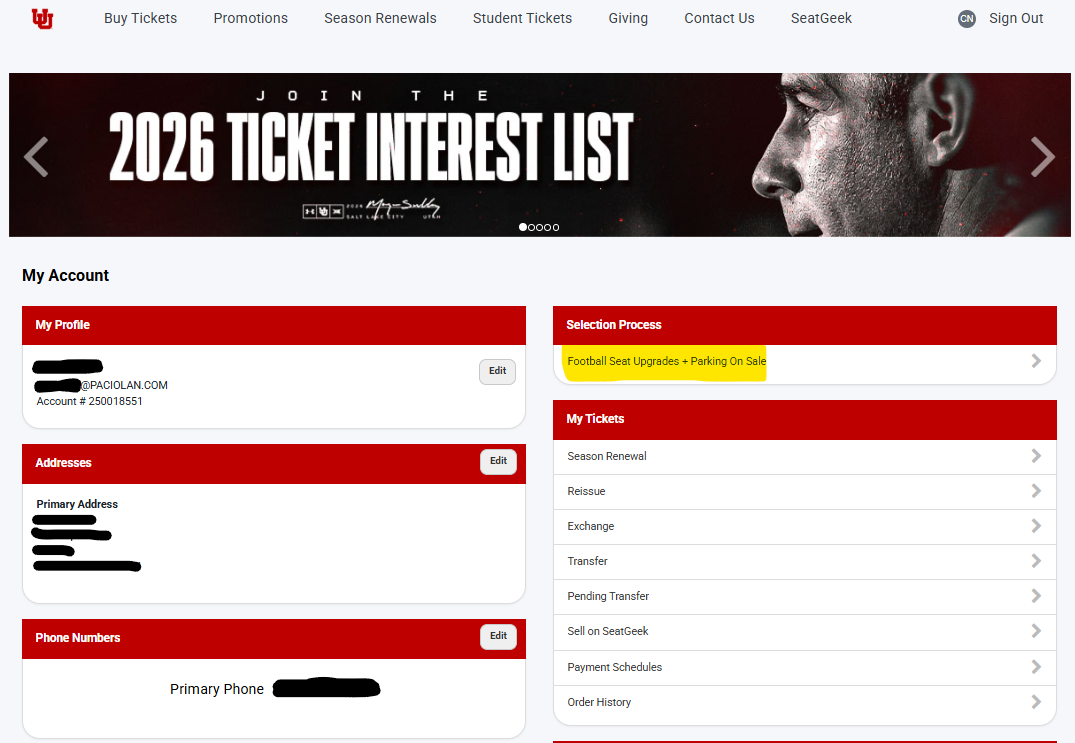
Step 1
Log in to your Utah Utes Paciolan account.
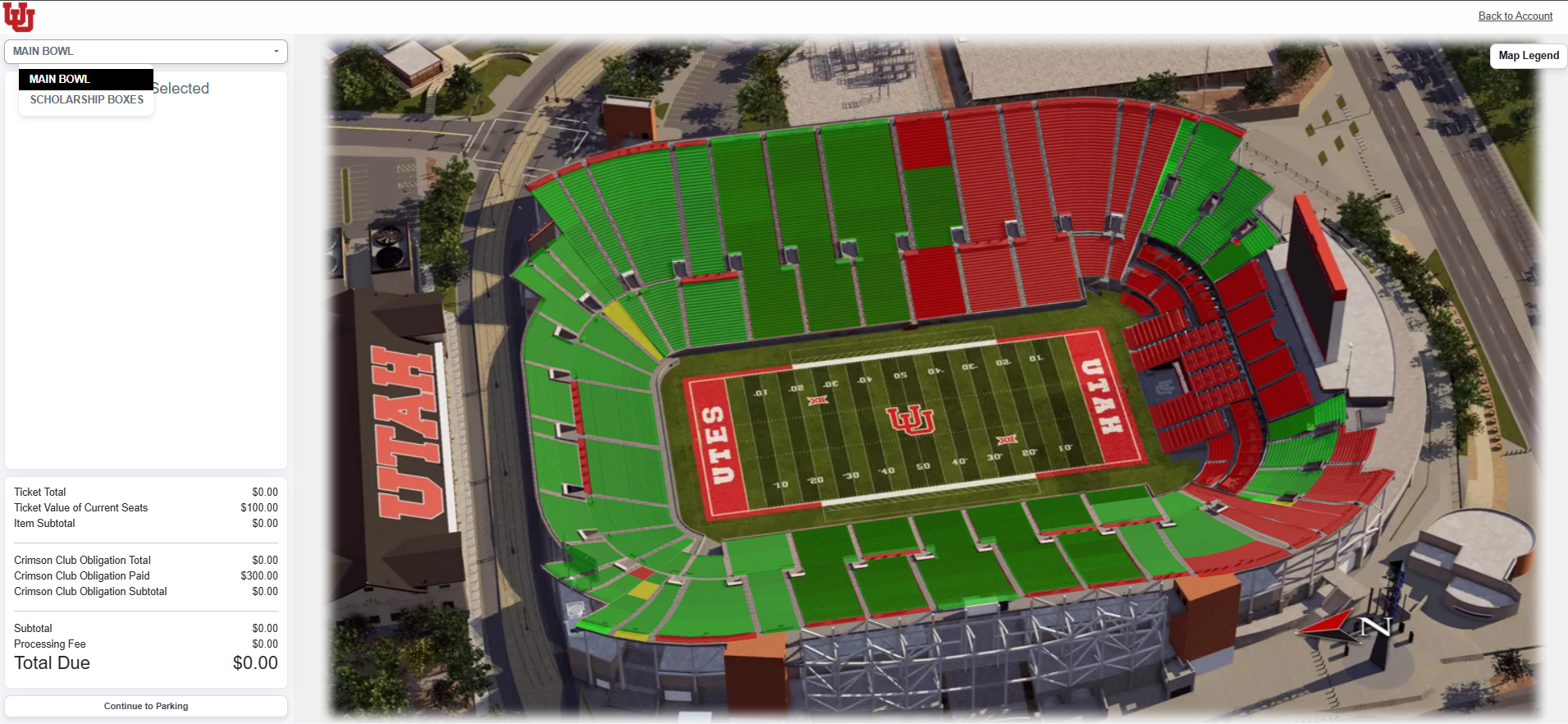
Step 2
Choose where you’d like to explore — Main Bowl or Scholarship Boxes.
Interested in premium seating in the south end zone? Call 801-581-8849 for details on Ken Garff Red Zone Premium seating.
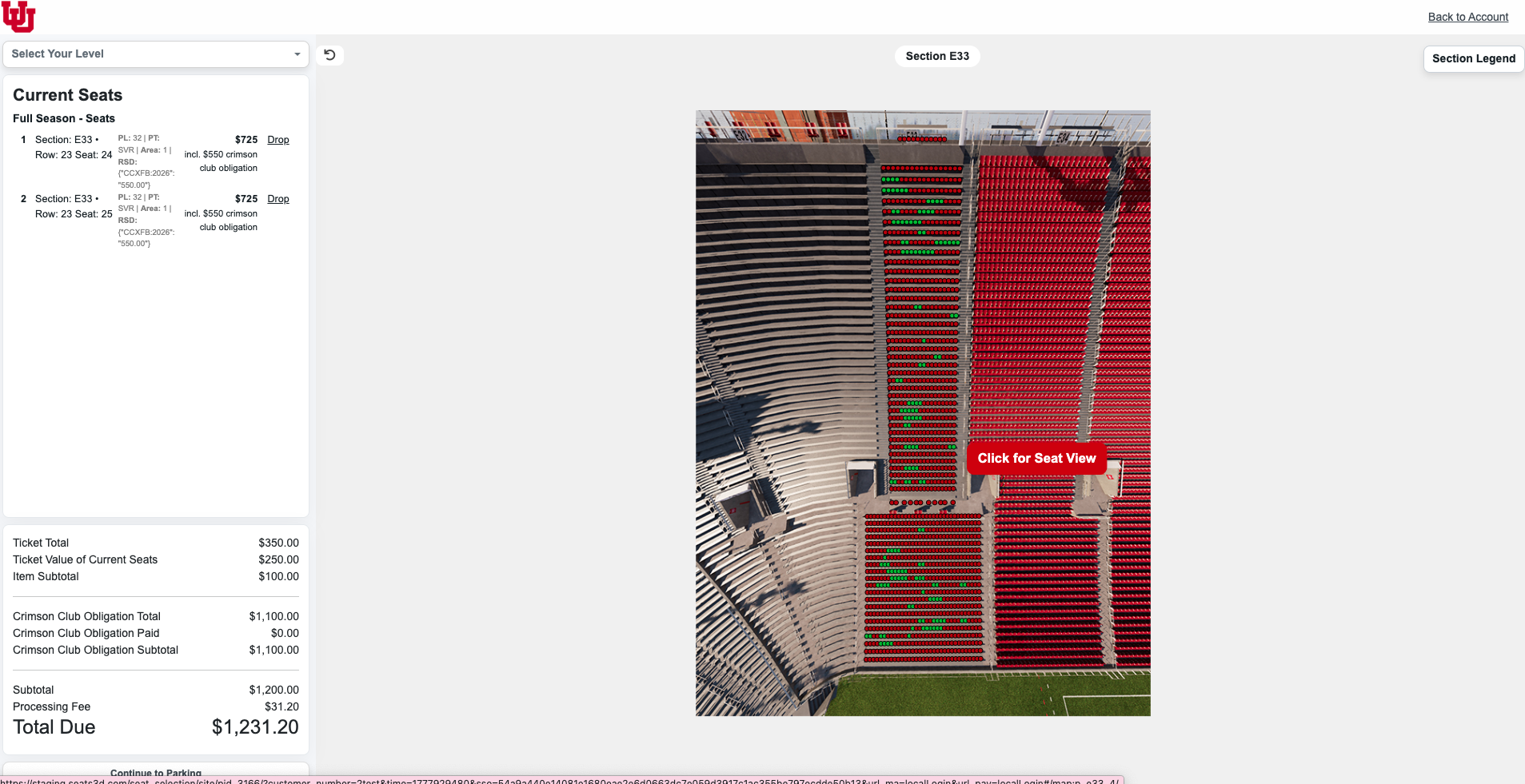
Step 3
Select the section and seats you’re interested in.
Use the “Click for Seat View” option to preview your view before making a decision.
Step 4
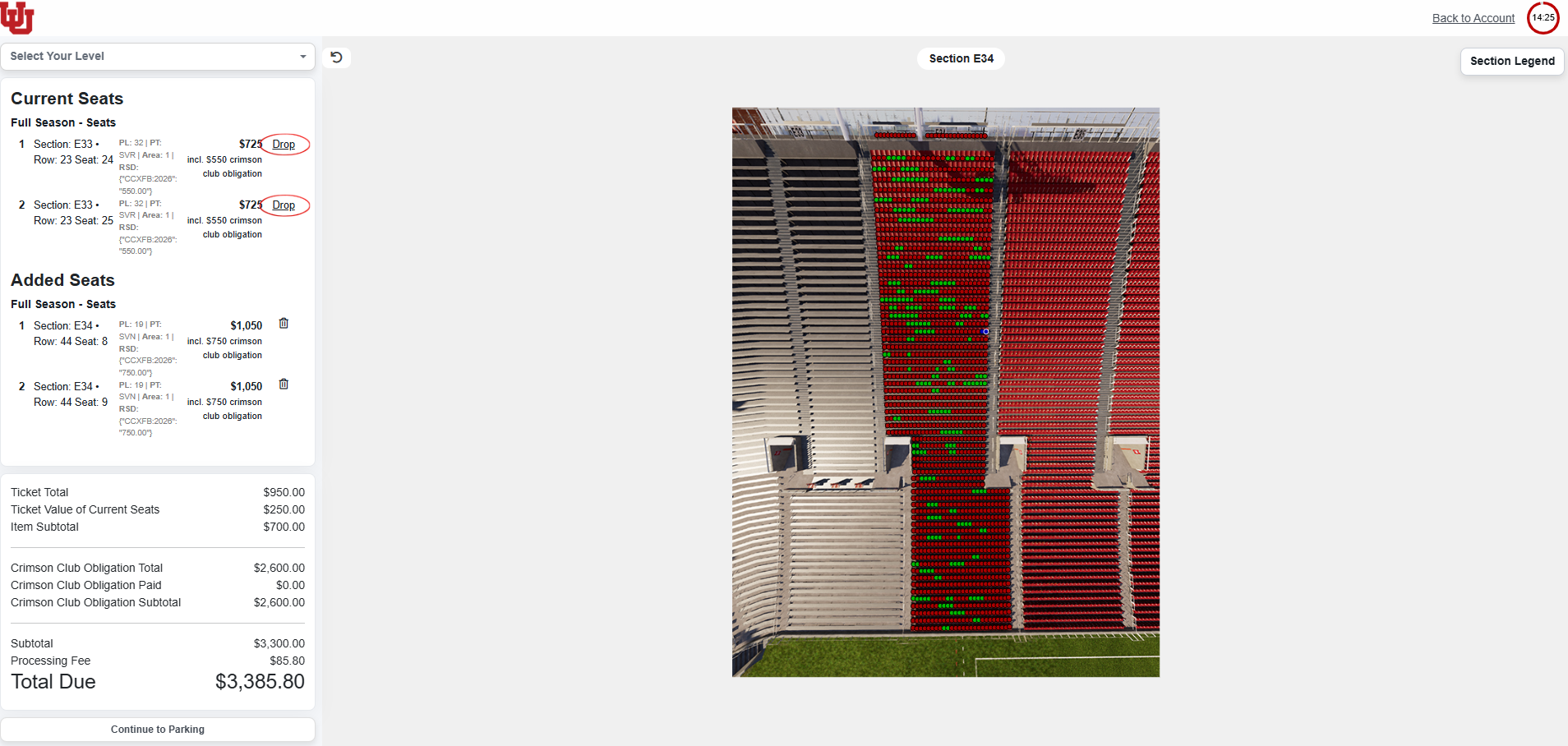
When you’ve chosen your new seats, click “Drop” next to the seats you plan to give up.
If you don’t drop your current seats, you will be charged for both your existing seats and your new ones.
If you are only adding seats, you can skip this step.
Step 5
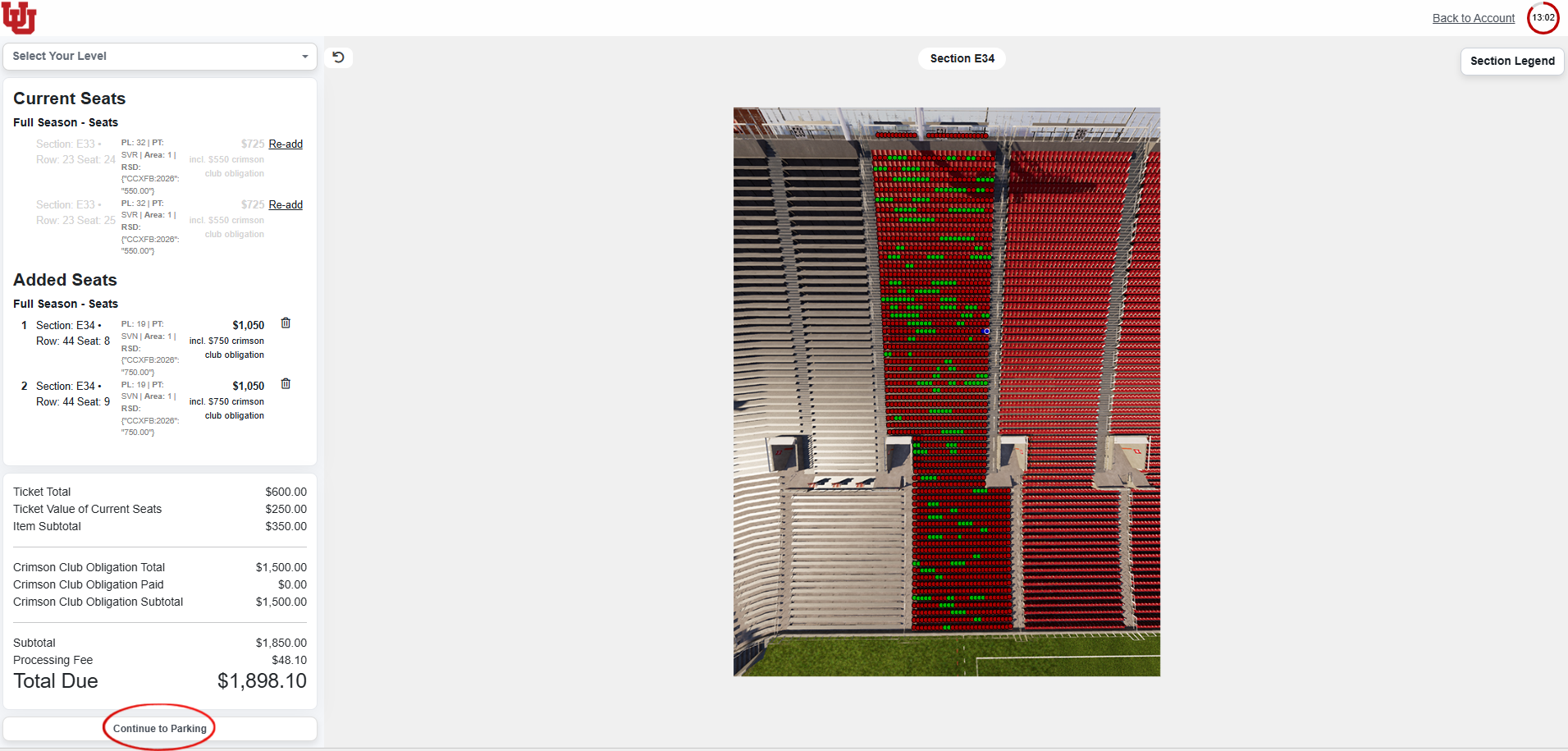
Click “Continue to Parking” at the bottom of the page.
Not upgrading seats? You can go straight to “Continue to Parking” to purchase parking only.
Step 6
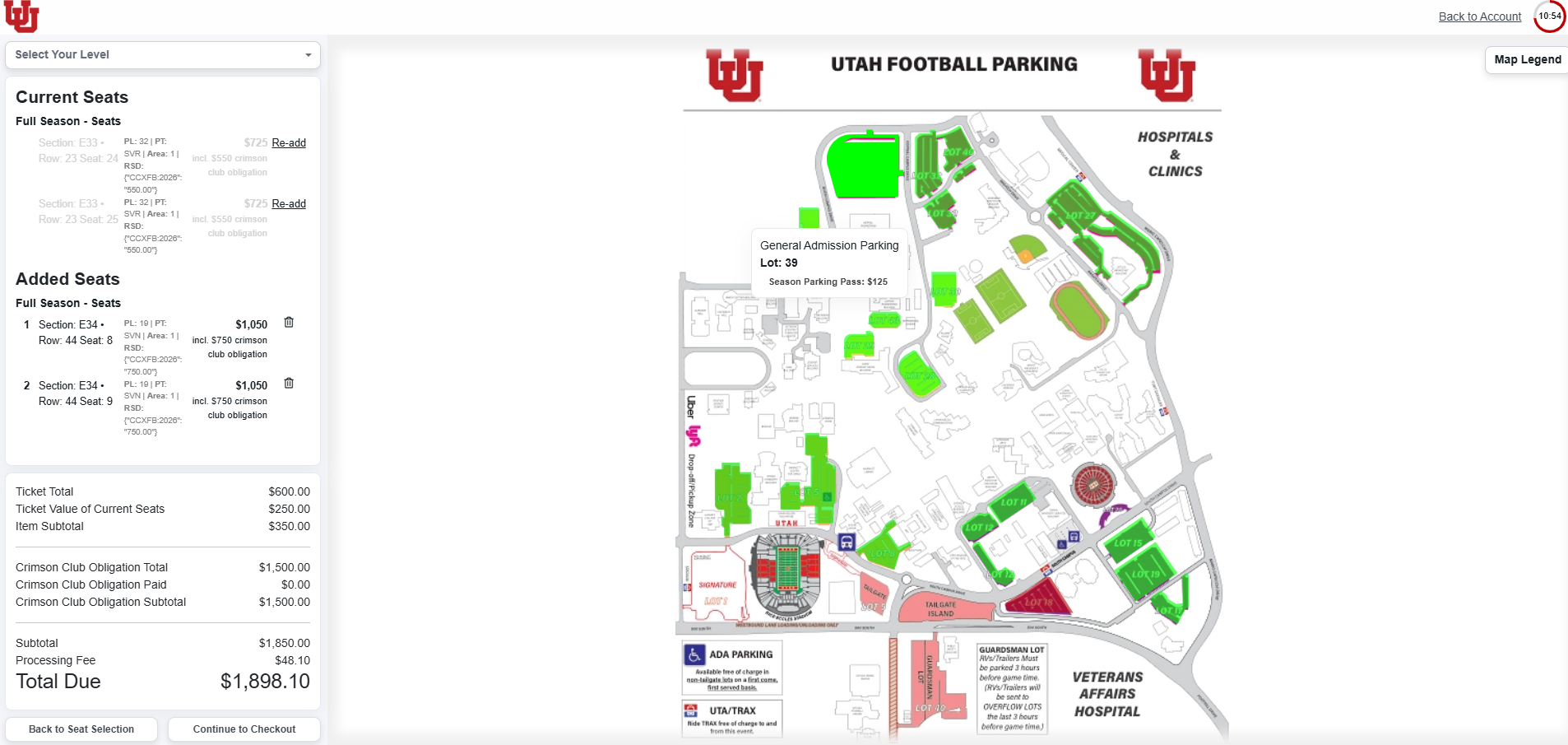
Select your preferred parking lot.
You can view pricing by hovering over any green lot on the parking map.
Once selected, click “Continue to Checkout.”
Step 7
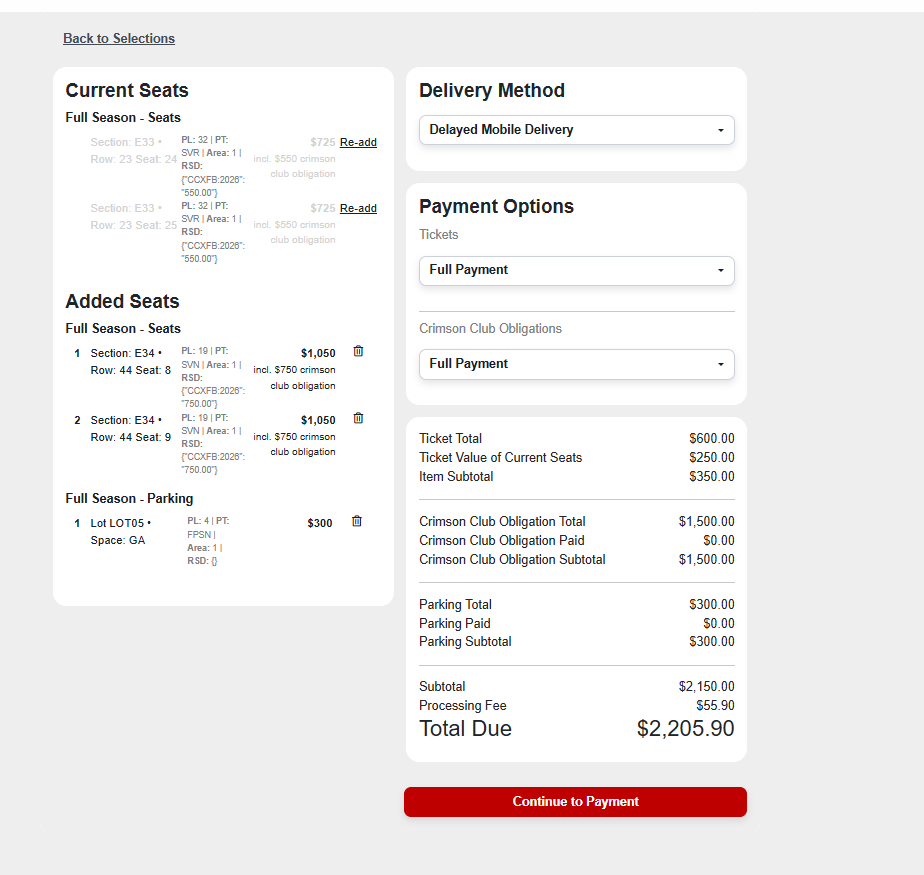
Review your selections.
You’ll see any seats you’re dropping, adding, and any parking passes selected, along with your total.
Once you reach the payment page, please complete or cancel your order before exiting the window. Leaving the page before finishing may cause issues re-entering the site. After your transaction is completed, you will not be able to return to make additional purchases during your selection session.
All seat upgrades and parking purchases must be paid in full at the time of checkout.